Creation of Basic CRM by using Excel VBA and SQL Express:
A Customer Relationship Management (CRM) is an essential requirement for any business, particularly for ones heavily dependent on smaller sales across many new customers. It can sometime be a challenge in creating one such tool. But you don’t have to worry we will teach you how to create one without any hassles, right from scratch. This tool can help you stay connected to your customers, reorganize processes and hence improve business profitability.
The main course objective of this online is to deliver the knowledge of advanced options that a user can apply to create a CRM tool without using any coding or intense programming. VBA and Macros are the best tools that an employee can use to automate processes.
Visual Basic for Applications (VBA) is a programming language which is event driven. This language is efficient to build proper user defined functioning commands, process automation and also allows a user to use Application Program Interface of Windows. Excel VBA with the help of Macro makes the programming part easier for the user.
Target Customers:
- Commerce students
- Students from the business administration
- Working professionals who go through the hectic working schedule of same repetitive work every day can do the and make their life easier
Pre-Requisites:
- Basic knowledge of using VBA and Macros
- Basic experience in using Microsoft Access
- The course is fit for anyone who has the urge to learn applications of VBA
- No specific background and work experience required
Section 1 Introduction
1 Introduction to CRM using Power Point
Section 2 Basic Demo of Running CRM
2 Basic Demo of Running CRM
3 Basic Demo of CRM Continues
Section 3 VBA Learning Process and Access DB
4 Development of CRM in VBA
5 Learning Process Flow Diagram
6 Client Machine
Section 4 VBA Coding Explained
7 VBA Coding Explained Part 1
8 VBA Coding Explained Part 2
9 VBA Coding Explained Part 3
10 Dashboard
11 Dashboard Coding
12 Generic Function
13 Store Combo
14 Select Case Statement
15 Load Details
16 List View Additions
17 Leads
18 Other Loading details Explained
19 Edit Data or Add a New Data
20 MT User Form
21 Updating Data
22 Updating Data Continue
23 Add New Lead
24 How to Save Data
25 How to Delete Data
26 How to Change Password
Section 5 Admin Module
27 Explain Admin Module
28 Explain Coding and Admin
29 Explain Dashboard
Section 6 Conclusion
30 Conclusion
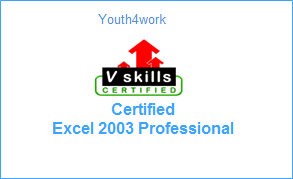
Here is a sample for the course completion certificate which you will receive after complete the course. This certificate is widely accepted across industries and will boost your chances to grab the job opportunities.
Mail us at: [email protected] with below details to receive your certificate:
- Name
- Course Name
- Date of Completion
- Address